Introduction to the Scoping Guidance Tool
This page introduces the tool and provides guidance on the menus and icons that can be used throughout.
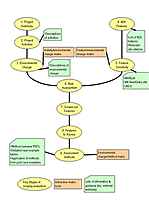 This tool is designed to help you make an auditable scoping assessment for port activities or developments affecting Natura 2000 sites. Click on the link below and follow the yellow key question bubbles in any order and simply answer the questions posed using additional database and checklist information where available. A report is generated as you enter the answers and can be viewed at any time. It can also be printed or converted into a simple text file and saved. Information added by you is stored in cookies for one month unless removed from your system or the tool is reset. Please note that the text areas can only support up to 4000 characters. You can also format text (view help) using basic HTML tags (e.g. <br /><br /> - new paragraph | <br /> - new line | <em>italic</em> | <strong>bold</strong> | <u>underline</u>).
 Open the Scoping Guidance Tool >>
Some features have been added to the tool to help you navigate and easily access the information.
Tabbed information interface
These tabs are viewed for each of the questions. The colour scheme of the tabs quickly lets you know what information is available for each question/section. Click on the coloured tabs below for a brief summary of types of information to expect.
Overview
An overview of the section, with a text area for you to add any comments relevant to the question
Matrix
Tool related knowledge retrieved from the database
Tips/List
Information and guidance related to the section
Case study
Relevant text from a worked case study
Mini Floating Menu
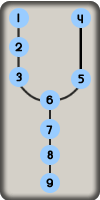
The mini SGT menu is shown to the right. In the tool you can click on a question/section number and it will take you to that page. There are links included to take you back to this page, view the report or reset the tool. Below are the controls of the mini SGT menu